

i-PRO Maximizer - More in-depth and customizable functionality with i-PRO cameras on MOBOTIX HUB
More in-depth and customizable functionality with i-PRO cameras on MOBOTIX HUB VMS
Plugin support the MOBOTIX MOVE Vandal Multisensor PTZ Combo 20+2MP Camera (Mx-VMSD1A-2021-VA)
i-PRO Maximizer provides advanced camera features that are not available as standard functions on MOBOTIX HUB.
Focus, Auto pan, Auto tracking, Image scene file, Privacy mask, Fisheye dewarping.
Rules configuration enables process automation.
Alarm integration expands the selection of i-PRO AI features.
Thanks to software development by Orbnet Systems Ltd,
i-PRO Maximizer provides more in-depth and customizable functionality with i-PRO cameras on MOBOTIX HUB that are not available as standard functions.
Enhanced and customizable camera control on MOBOTIX HUB Desk Client.
-
Manual/Auto focus
-
Auto pan(start/stop)
-
Auto tracking (start/stop/lock on target and start)
-
Change image scene file
-
Enable/Disable AI Privacy Guard (privacy mask)
-
User-defined (custom) CGI
-
Alarm integration expands the selection of i-PRO AI features available on MOBOTIX HUB.
-
Occupancy detection for each detection area (No.1 to 8)
-
Auto tracking alarm for each detection area (No.1 to 8)
-
Sound detection (Gunshot, Glass break, Sound detection, Vehicle horn, Yell)
-
Non mask detection
-
AI Scene change detection
-
Other alarms from i-PRO camera.
Rules configuration on MOBOTIX HUB Management Client for these features enables further process automation.
Key features
- Enhanced and customizable camera control on Desk Client. Focus, Auto pan, Auto tracking, Change image scene file, Privacy mask and custom command.
- Enhanced Alarm integrations. Occupancy detection, Auto tracking alarm, Sound(Gunshot, Glass break, Vehicle horn, Yell), Scene change and so on.
- Rules configuration on MOBOTIX HUB Management Client for these features enables further process automation.
- 3D dewarp in v1.2.0 or later provides users with distortion-corrected images from 360-degree fisheye cameras.
What is needed to use the plugin:
- MOBOTIX HUB (L2 to L5)
- MOBOTIX MOVE Vandal Multisensor PTZ Combo 20+2MP Camera or a
- i-PRO Camera
- i-PRO Maximizer Plug-in
How it works:
AI Privacy Guard application applies a mosaic over the face or person automatically to protect individual privacy. With the i-PRO Maximizer, operators can easily enable or disable the masking.

Manual focus control (Near/Far/Reset) or Auto focus
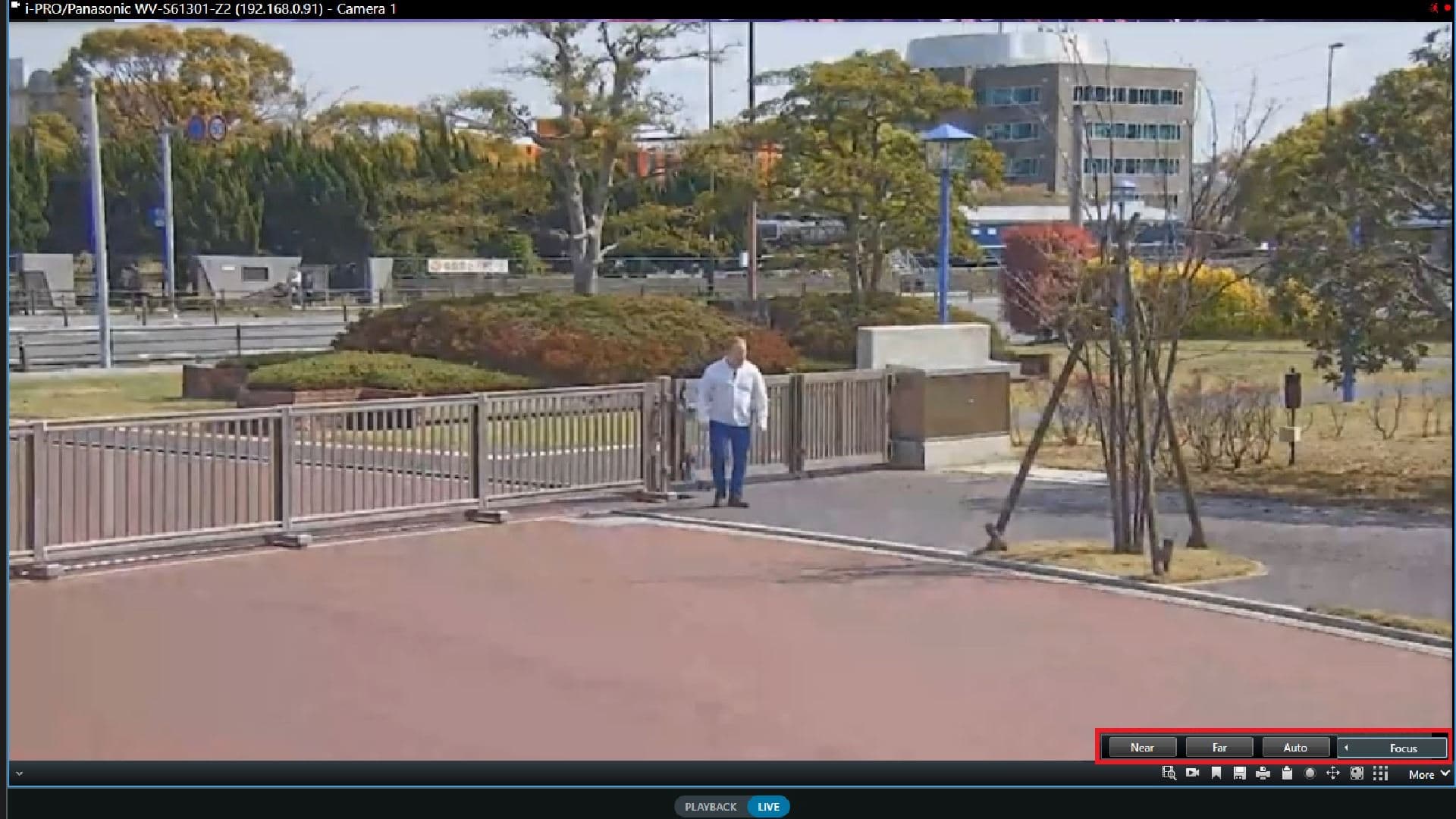
Auto pan/tracking control (Start or Stop). Look&Track: When the people or vehicle appaers what users wants to track, by clicking the object on MOBOTIX HUB Desk Client screen, camera starts tracking.

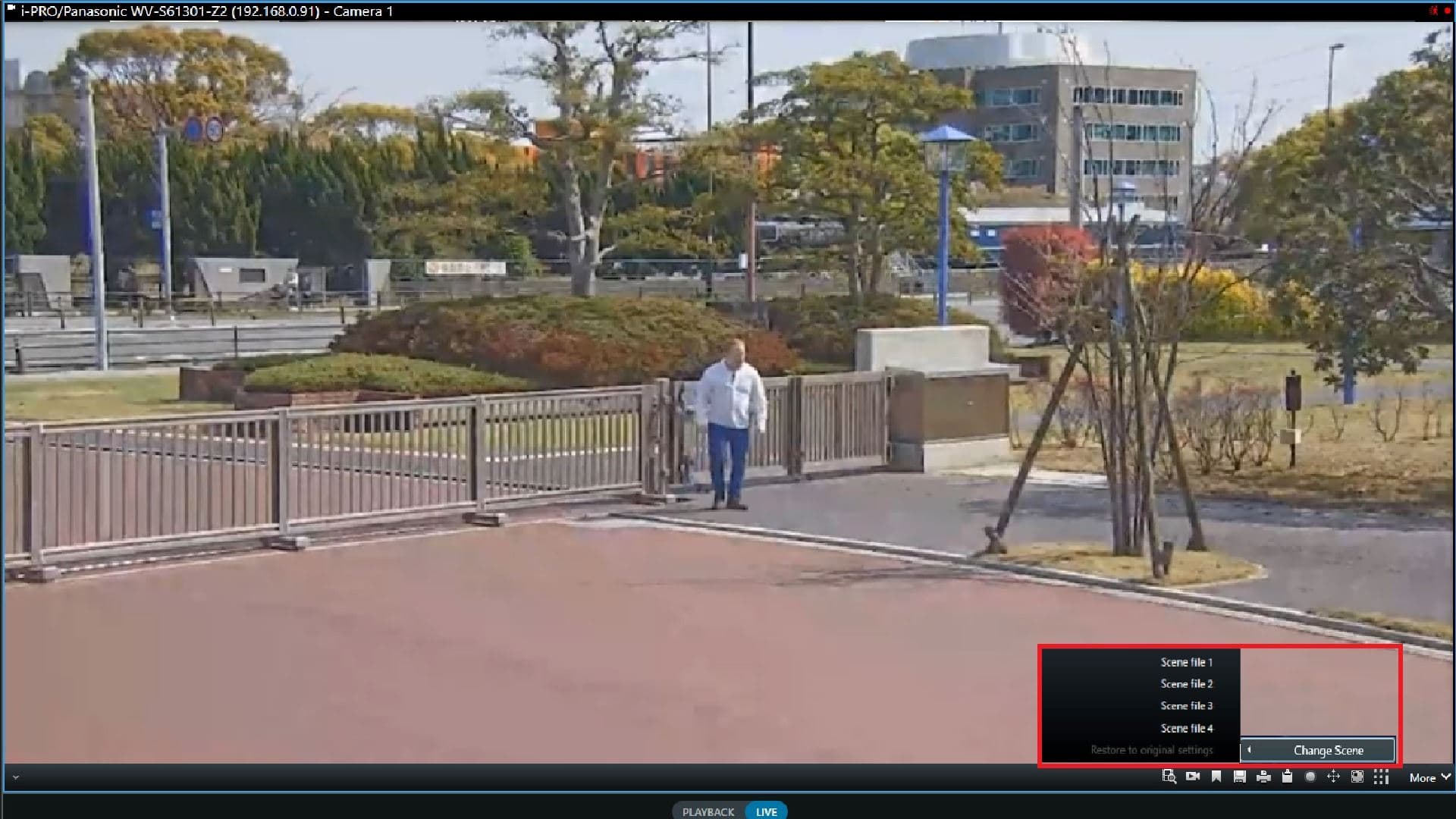
Up to 4 scene files, the combination of image quality setting can be saved on camera. i-Pro Maximizer provides the ability to change the scene file manually depending on actual environment situation.
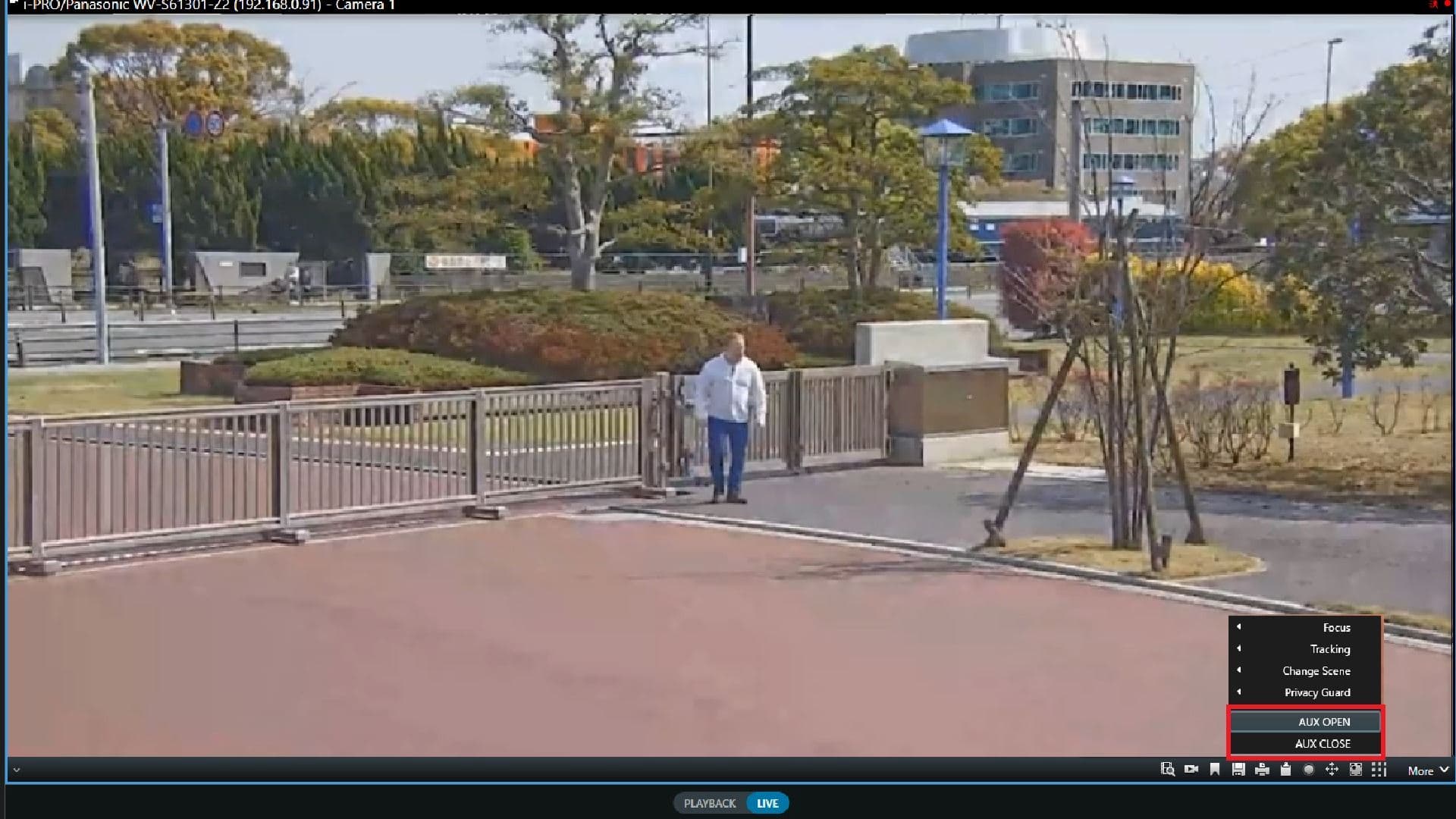
Depending on the operation, user can register any camera´s API. AUX OPEN or CLOSE, for example.
From the node “i-PRO Extended Actions”, user can configure enable or disable command. You can set up one device at a time or all at once.

From the node “i-PRO Extended Actions” user can configure enable or disable command. You can set up one device at a time or all at once.

Rule name, URL and Display name etc, can be configured. User can also add any command and utilize on Desk Client or Rules.

3D dewarp is a new feature in v1.2.0 that provides dewarped images from 360-degree fisheye cameras. By using virtual PTZ operations, it offers enhanced usability and a better monitoring experience.

Quad or Hexa view provides a flexible display layout inside the one MOBOTIX HUB Desk Client tile. You can see the different angle at the same time. ex.1 fisheye, 4 zoomed-in angle, 1 double panorama.

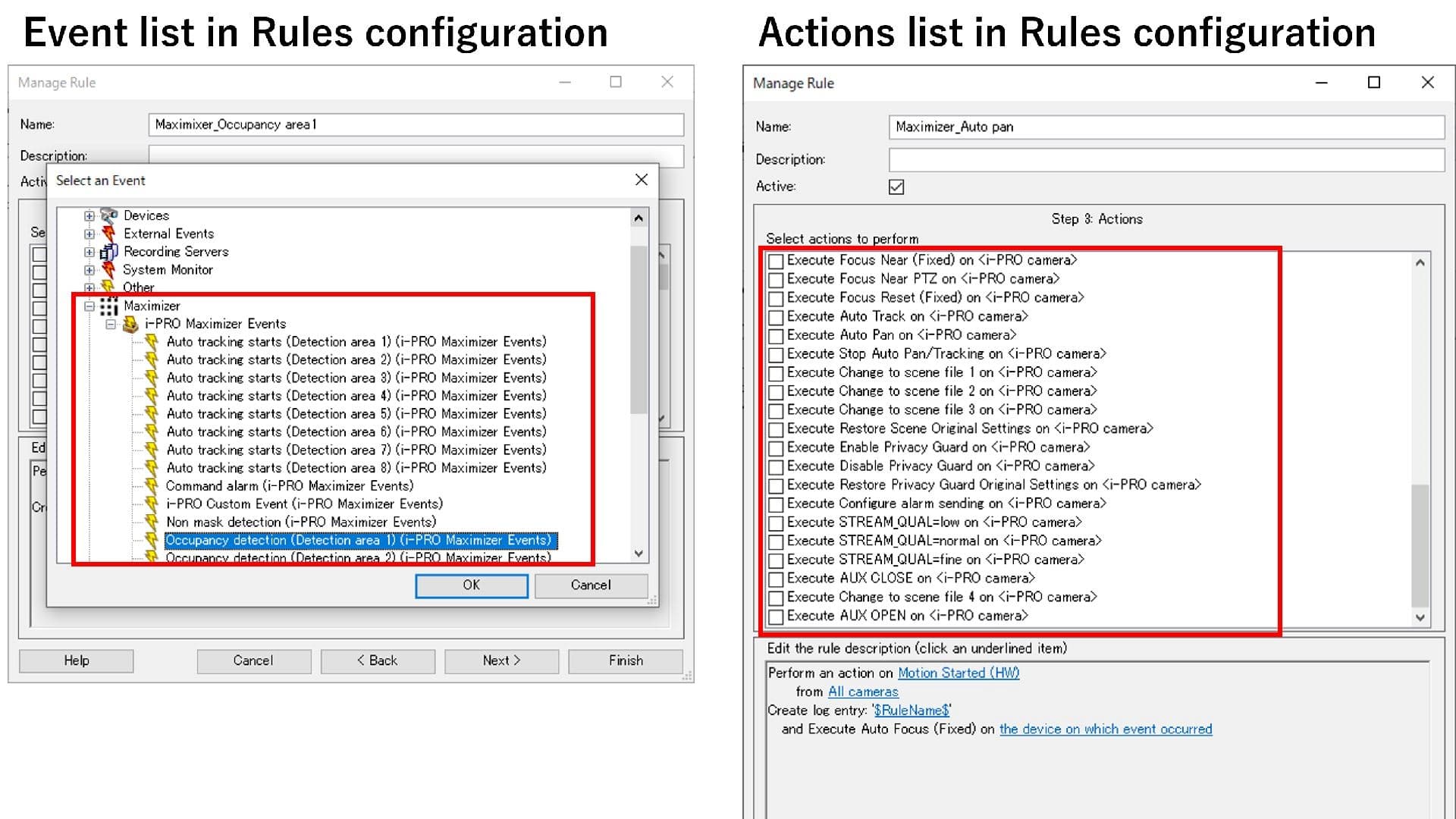
i-Pro Maximizer integrates a host of alarms from i-Pro camera that are not standard on MOBOTIX HUB today, including: Occupancy, Auto tracking, Sound (gunshot etc.) and Non-mask detection.


i-PRO Extended Actions and i-PRO Custom Events can be used as >trigger and Action Rules configuration, which provides more customizable automation.
i-PRO Maximizer Service needs to be installed on MOBOTIX HUB Recording server to communicate with camera and Management server. Network settings can be configured depending on the system.

Download / Support information
-
More information on the plugin:
-
Contact ORBENT: https://orbnetsys.com/Contact
-
MOBOTIX HUB Version used at the time of testing: Versionsname
How to install the plugin:
Download the Plugin:
https://orbnetsys.com/downloads/i-PRO_Maximizer
Follow the Documentation
i-pro-maximizer-plugin-for-xprotect—installer-guide-v1.2.0-en.pdf (6.2 MB)