

Hanwha Plugin for MOBOTIX HUB
For improved use and interaction with Hanwha devices in MOBOTIX HUB.
Hanwha Plugin for MOBOTIX HUB (formally AI Camera Plug-in) enables a better connection with the Hanwha devices and MOBOTIX HUB. In addition to searching AI metadata, this plugin allows control of camera and intercom functions in Desk Client and Management Client.
Key features
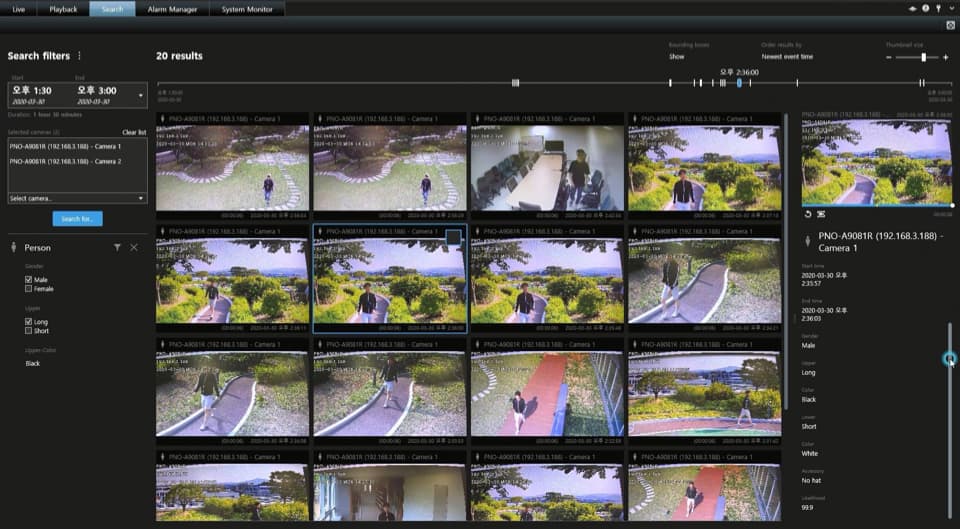
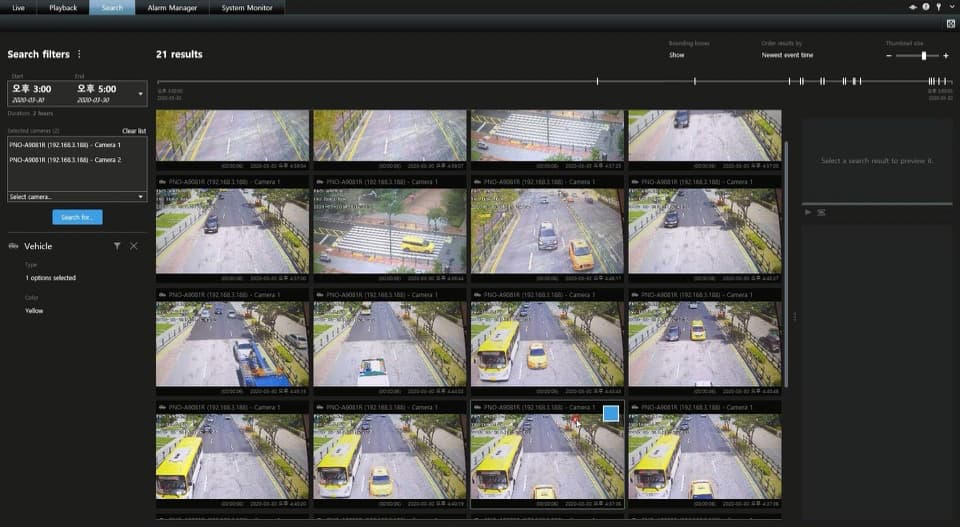
- Supports AI camera search based on object attributes (like the previous AI Camera Plug-in)
- Camera special function management (Wiper, Heater, Spinning dry, Auto focus)
- Receive and answer calls from the Hanwha TID-600R Intercom along with unlocking the door.
- Access the web page of Hanwha cameras from within MOBOTIX HUB Management Client application (based on the stand alone Wisenet Camera Configuration plug
- Share metadata detection between thermal and non-thermal channels.
What is needed
- Hanwha Plug-in
- MOBOTIX HUB
How it works
Users can set event category and search with several filters.
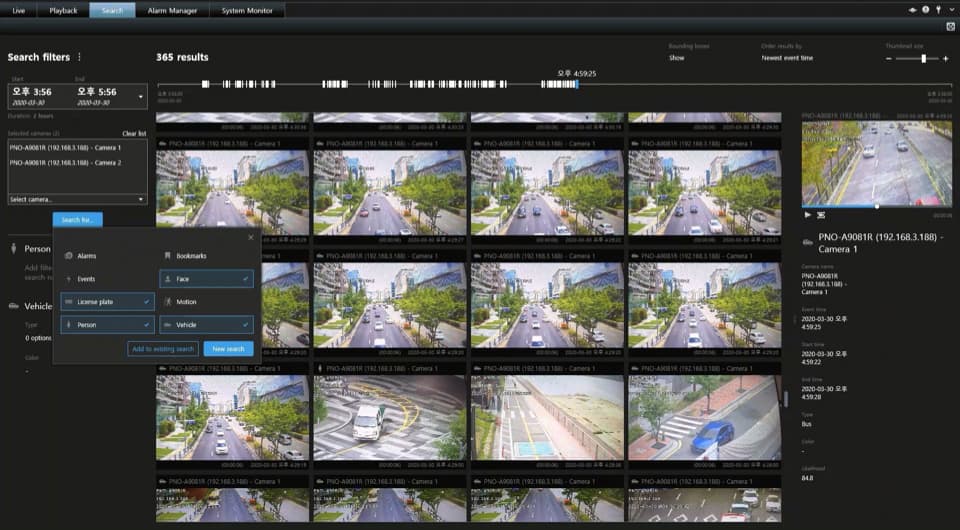
Face Filter

Human Detection Filter

Result Lists of Human Detection
Vehicle Detection Filter

Result Lists of Vehicle Detection
Receive and answer calls from the TID-600R in the Desk Client
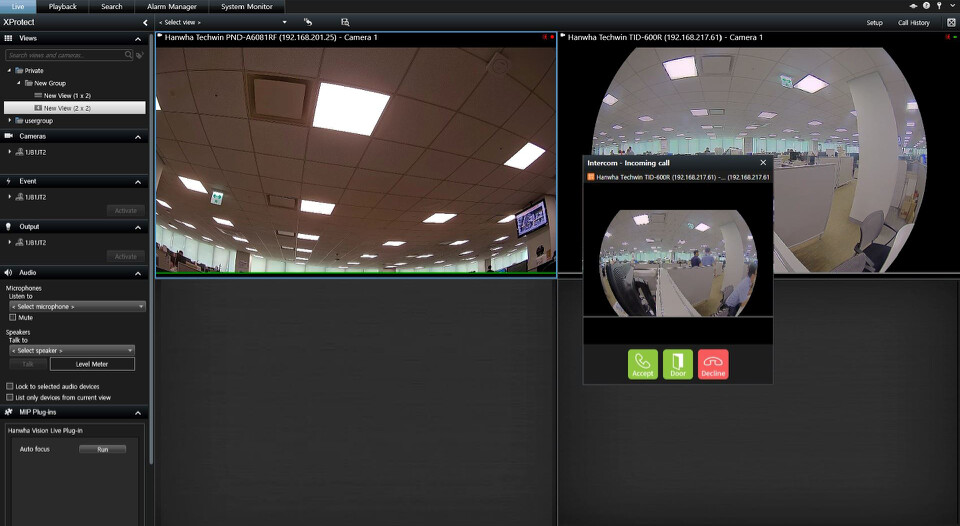
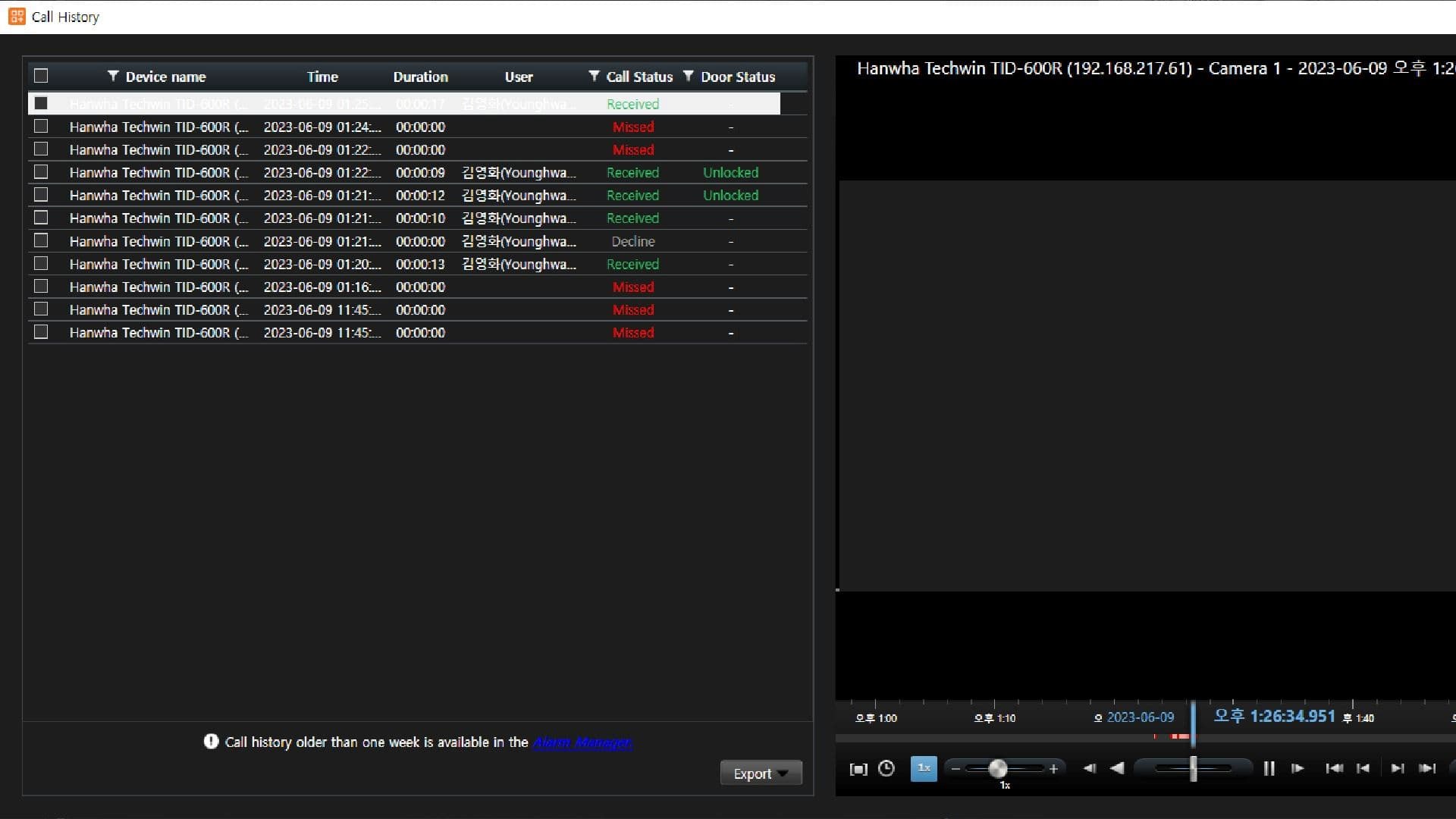
Access the call history for the TID-600R intercom
Access the camera web UI from within Management Client

How to install
Download the Plugin:
Installer Software Package