QVR Pro - Adding cameras does not work Camera cannot be found
Cameras can be recorded in the QVR Pro Recording Software via the ONVIF Protocol. To do this, the user can find the cameras in the network via the search dialogue.

If the search does not display the desired camera

The following problems may occur if the camera is accessible via a browser and provides a live image:
- Camera does not support ONVIF S or ONVIF is not activated. For example, with MOBOTIX IOT cameras, ONVIF must be explicitly activated in the Admin dialogue under Integration Protocols.
- The camera is not in the same subnet as the NAS. For example, the NAS IP is 192.168.2.30 and the MOBOTIX MOVE camera has the IP 10.192.24.33 → Assign the camera an IP (e.g. 192.168.2.33) in the same network as the NAS.
- The camera’s IP address has already been added to the NAS. This typically occurs when replacing an existing camera without first removing it from the NAS. In this case, when the new camera is added to the network, QVR Pro cannot find it because the IP address is already considered ‘known’.
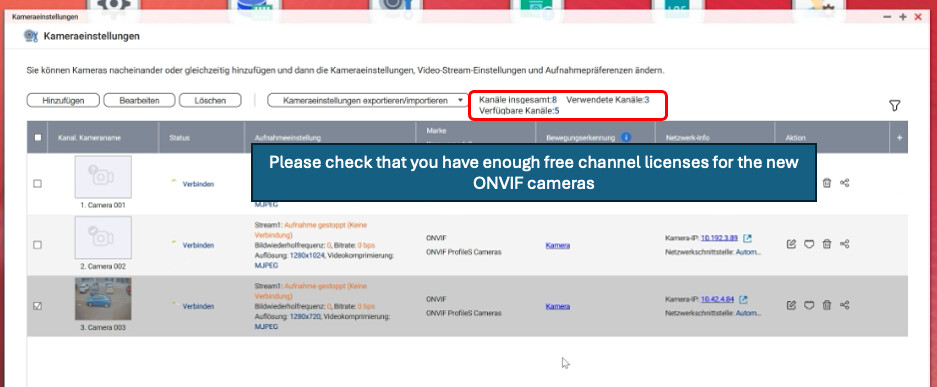
In principle, it must be examined whether
that sufficient free QNAP QVR Pro channel licences are available for the new ONVIF cameras to be added!